Skip to content
MANUPRIME

Modules 2.35 / 2.36

Scheduling & Shop Floor

2 articles

Planning with the scheduling board

Finite-capacity scheduling with machine-wise loading and shortage awareness.

  1. Open Planning & Scheduling. Each machine row shows booked capacity — amber blocks are changeovers, red means backlog risk.
    Machine loading board
    Machine loading board
  2. Click Run Plan to recalculate across machines, shifts and the 14-day horizon; the result summary shows what moved.

  3. Orders confirm only when material is available — shortage-blocked orders carry a red Material flag until covered.
Recording production on the shop-floor tablet

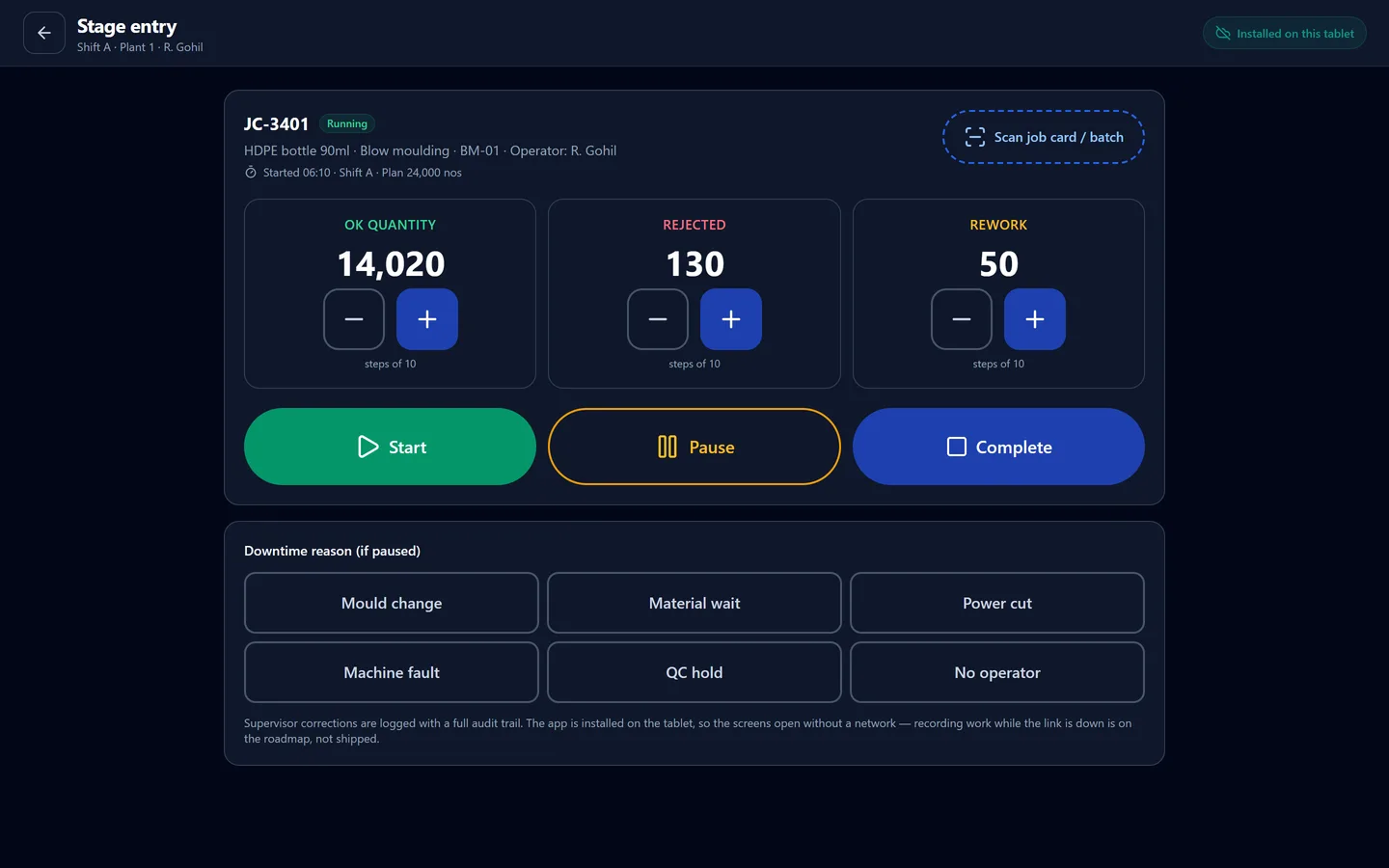
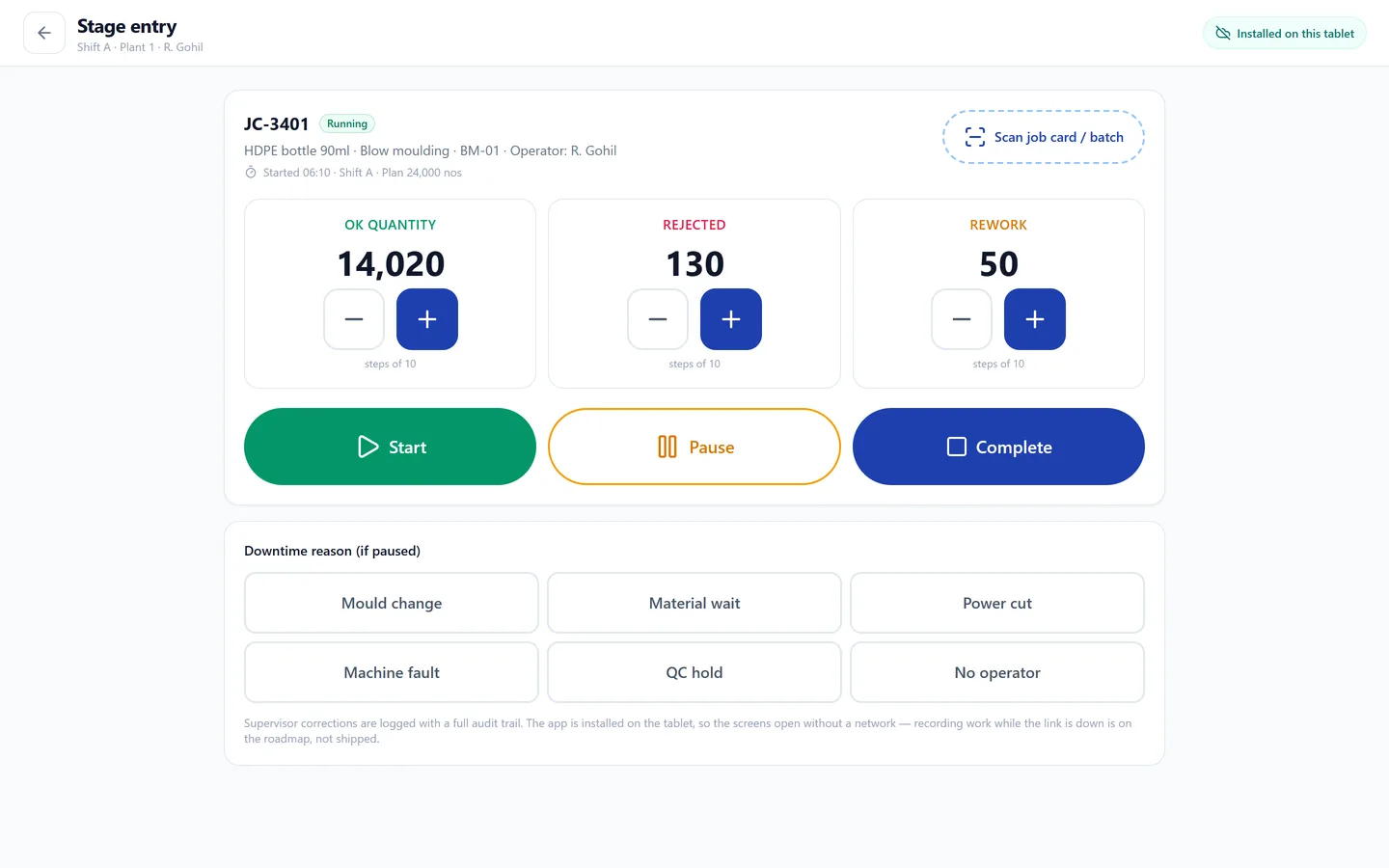
Big touch controls for operators: scan, count, start/pause/complete.

  1. Open Shop Floor Capture. Tap Scan job card / batch — the camera scan loads the job with its plan.

    Operator screen — counters and controls
    Operator screen — counters and controls
  2. Use +/− to log OK, rejected and rework quantities. Start/Pause tracks runtime; picking a downtime reason logs the stoppage.

  3. Tap Complete to post the stage entry — quantities flow to QC release, FG receipt and costing. Offline entries queue and sync automatically.

Still stuck?

Write to contact@anantatechhub.com or call us. You reach the people who build it, not a queue.