
Roles & access
Fourteen roles. Nobody sees the whole plant unless you say so.
Most plants run one shared login because setting up permissions was never worth the trouble. Then rates are visible to the floor, costing is visible to everyone, and nobody can tell who changed a figure. MANUPRIME ships with the roles already built — and we will show you any of them in a demo.
14
Roles, each with its own dashboard, sidebar and permission set
9 vs 2
Sidebar sections an Administrator sees, against what a Production User sees
3
Departments the roles group into — Management, Operations and Business
Management
Sees across the plant — and is the only group that can change how it is configured.
Administrator
opens on /dashboard
Full system access and configuration
Sidebar — 9 sections
- Overview
- Insights
- Production
- Supply chain
- Finance
- HR & Payroll
- Assets
- Organization
- Settings
On a phone
Dashboard · Production · Inventory · Reports · More
Open the demo as Administrator →Admin
opens on /dashboard
Full business access
Sidebar — 9 sections
- Overview
- Insights
- Production
- Supply chain
- Finance
- HR & Payroll
- Assets
- Organization
- Settings
On a phone
Dashboard · Production · Inventory · Reports · More
Open the demo as Admin →Manager
opens on /dashboard
Dashboards, approvals and reports
Sidebar — 3 sections
- Overview
- Operations overview
- Collaboration
On a phone
Dashboard · Approvals · Production · Reports · More
Open the demo as Manager →Supervisor
opens on /dashboard
Production floor and job cards
Sidebar — 2 sections
- Shop floor
- Collaboration
On a phone
Dashboard · Job Cards · WIP · QC Pending · More
Open the demo as Supervisor →Operations
Sees its own stage of the work. Deep in one thing rather than shallow across everything.
Production User
opens on /production
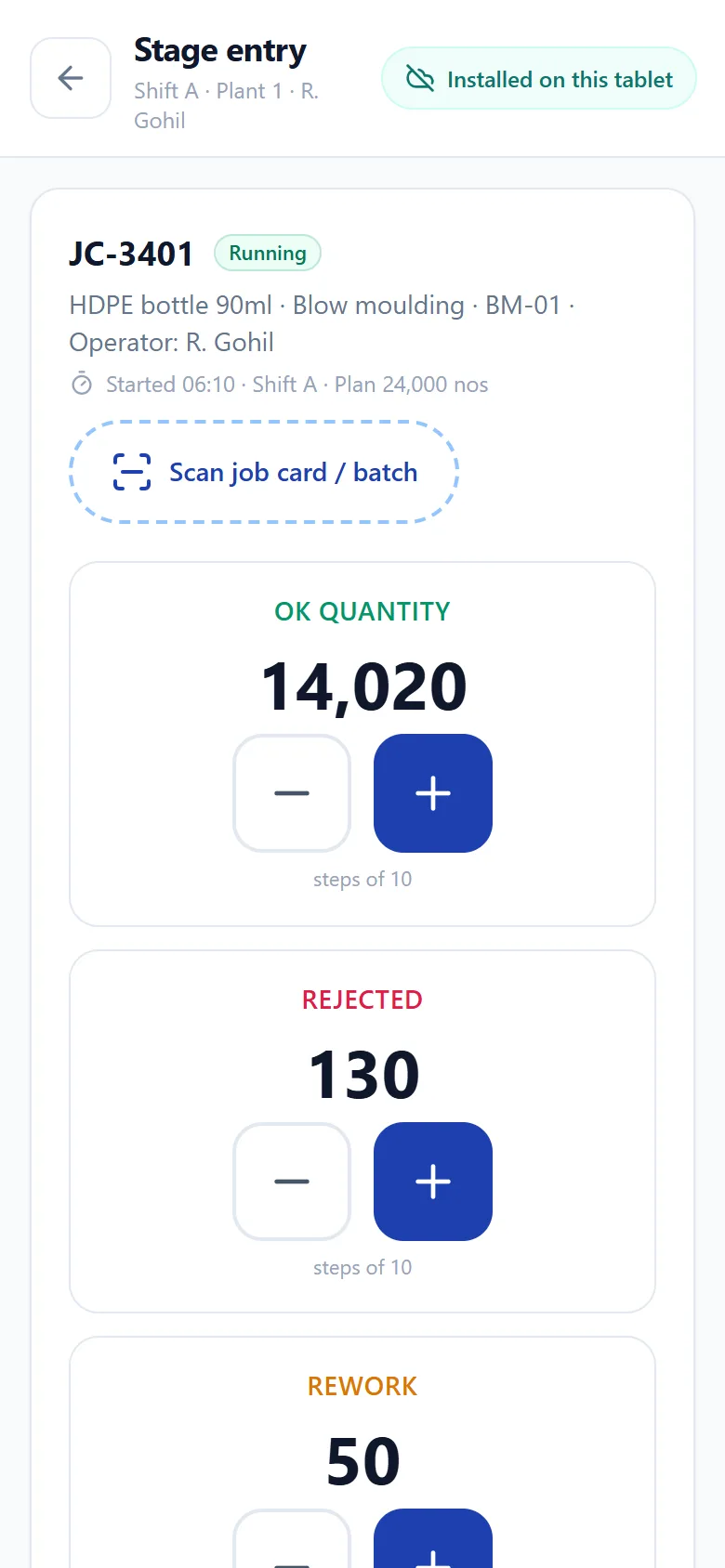
Orders, job cards and stage entry
Sidebar — 2 sections
- Production
- Collaboration
On a phone
Dashboard · Orders · Job Cards · Stage Entry · More
Open the demo as Production User →Quality Control
opens on /quality
Incoming, in-process and final QC
Sidebar — 2 sections
- Quality
- Collaboration
On a phone
Dashboard · Incoming QC · In-Process · Final QC · More
Open the demo as Quality Control →Inventory User
opens on /inventory
Stock, warehouses and transfers
Sidebar — 2 sections
- Inventory
- Collaboration
On a phone
Dashboard · Stock · Inward · Transfer · More
Open the demo as Inventory User →Maintenance User
opens on /maintenance
Preventive and breakdown maintenance
Sidebar — 2 sections
- Maintenance
- Collaboration
On a phone
Dashboard · Machines · Breakdown · Schedule · More
Open the demo as Maintenance User →Logistics User
opens on /logistics
Transporters, routes and deliveries
Sidebar — 2 sections
- Logistics
- Collaboration
On a phone
Dashboard · Vehicles · Routes · Deliveries · More
Open the demo as Logistics User →Dispatch User
opens on /dispatch
Packing, challans and dispatch
Sidebar — 2 sections
- Dispatch
- Collaboration
On a phone
Dashboard · Packing · Challan · POD · More
Open the demo as Dispatch User →Business
The commercial and back-office desks — the money, the people and the paperwork around production.
Sales User
opens on /sales
Leads, quotations and invoices
Sidebar — 2 sections
- Sales
- Collaboration
On a phone
Dashboard · Leads · Orders · Invoice · More
Open the demo as Sales User →Purchase User
opens on /purchase
Requisitions, POs and GRN
Sidebar — 2 sections
- Purchase
- Collaboration
On a phone
Dashboard · PR/PO · GRN · Vendors · More
Open the demo as Purchase User →Accountant
opens on /accounts
Ledgers, banking and GST
Sidebar — 2 sections
- Finance
- Collaboration
On a phone
Dashboard · Ledgers · Banking · Reports · More
Open the demo as Accountant →HR
opens on /hr
Attendance, payroll and employees
Sidebar — 2 sections
- HR
- Collaboration
On a phone
Dashboard · Attendance · Employees · Payroll · More
Open the demo as HR →What a role actually gates
Permissions, not just a different menu.
- Menus — a role only has the sections it works in, so nobody navigates past a screen they cannot use
- Routes — typing the URL of a screen your role cannot reach does not open it
- Actions — view, create, edit, delete, approve and configure are granted separately, not bundled into "full access"
- Approvals — an approval matrix that mirrors how your business already signs, rather than one blanket admin
- The audit trail — a supervisor correcting an operator entry is recorded as exactly that, with who and when
Roles are a starting point, not a cage. Every one of them is editable — you can take Costing away from a manager who should not price, or give a senior storekeeper the purchase screens, without waiting on us.
Book a demo and see it running on your own process.
Forty minutes, on a call, with your BOM and your job card in front of us. No slides.