Skip to content
MANUPRIME

Modules 2.7 / 2.14 / 2.15

Sales, Dispatch & Logistics

3 articles

From enquiry to invoice

The document chain keeps enquiry → quotation → SO → dispatch → invoice → payment linked.

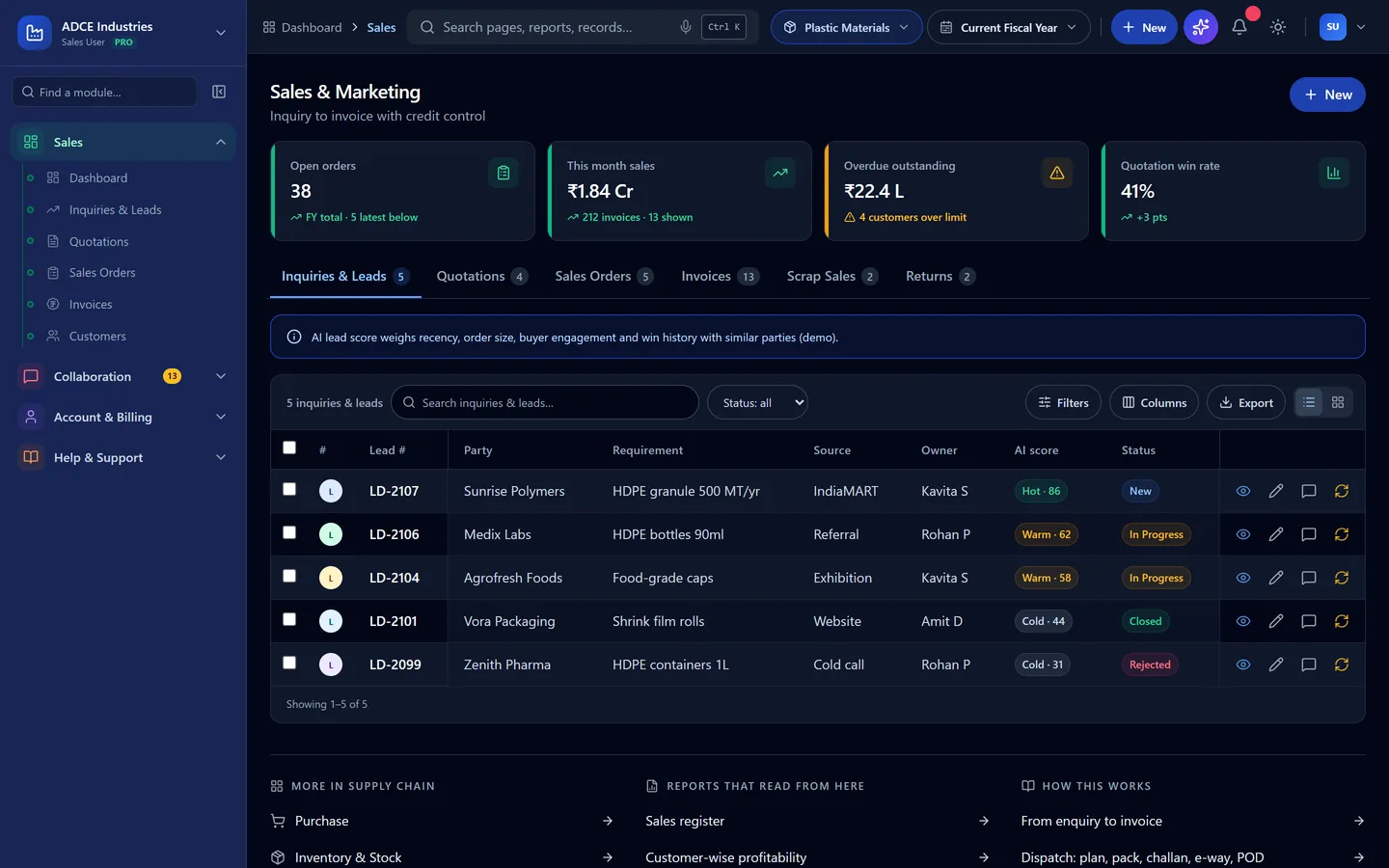
  1. Sales & Marketing tabs cover leads (with AI scores), quotations, orders, invoices, scrap sales and returns.
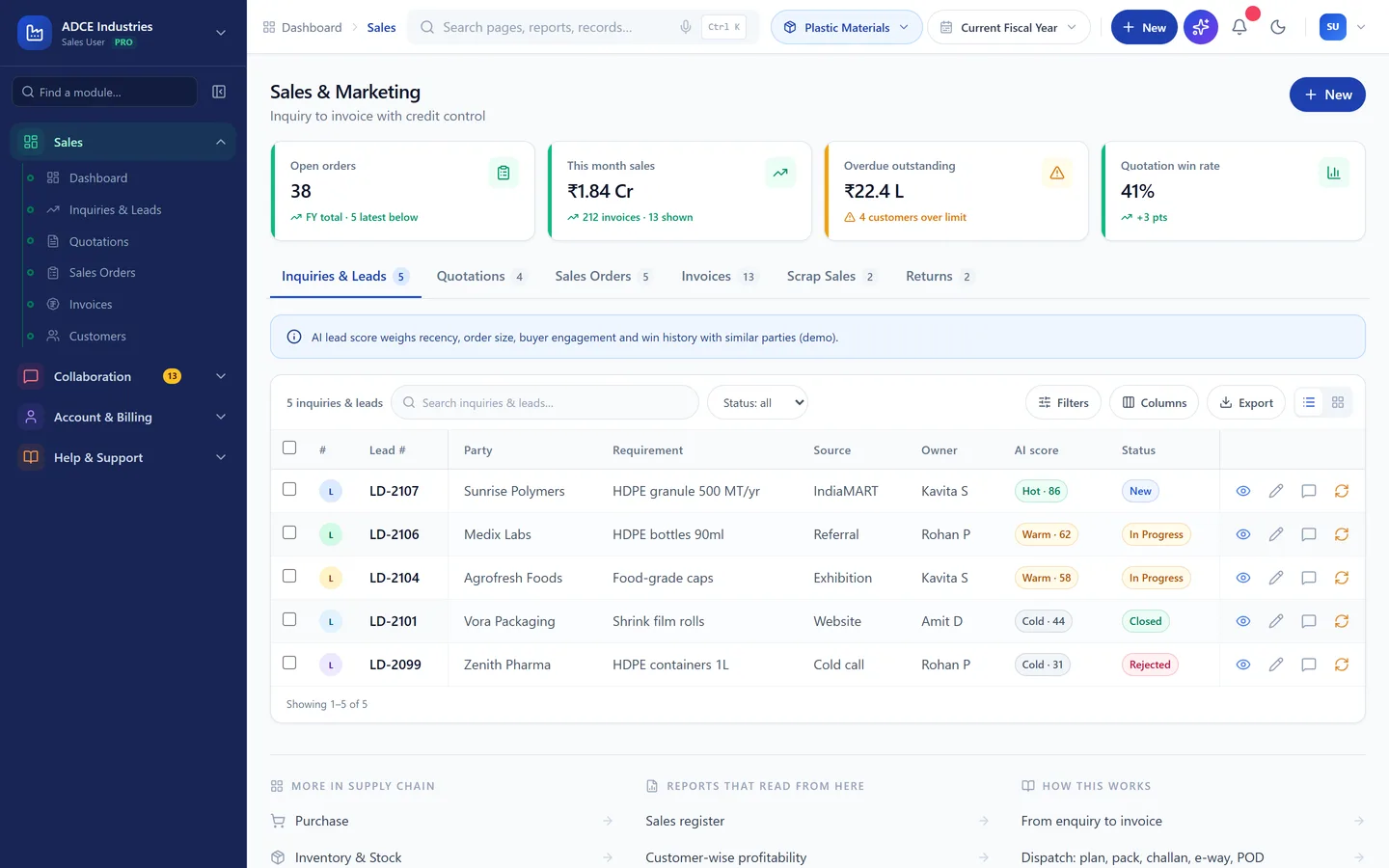
    Sales orders with credit-control status
    Sales orders with credit-control status
  2. Credit control checks limits and overdue outstanding automatically — breaching orders go On Hold for an override approval.

  3. Open any document to see its timeline (enquiry to payment) and share it — Print, PDF, WhatsApp or a payment reminder — from the same view.
Dispatch: plan, pack, challan, e-way, POD

Plan dispatches against orders and generate all documents.

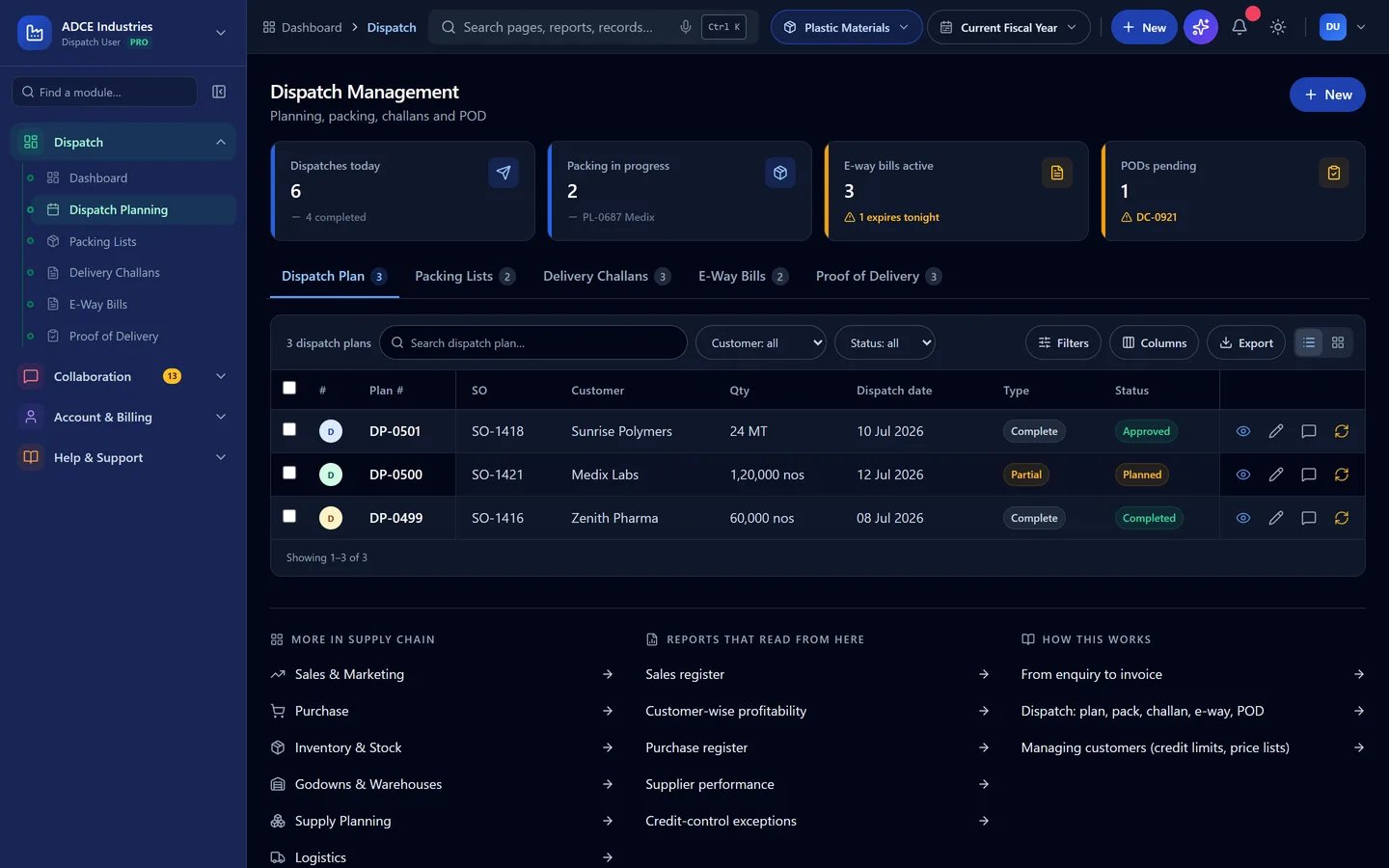
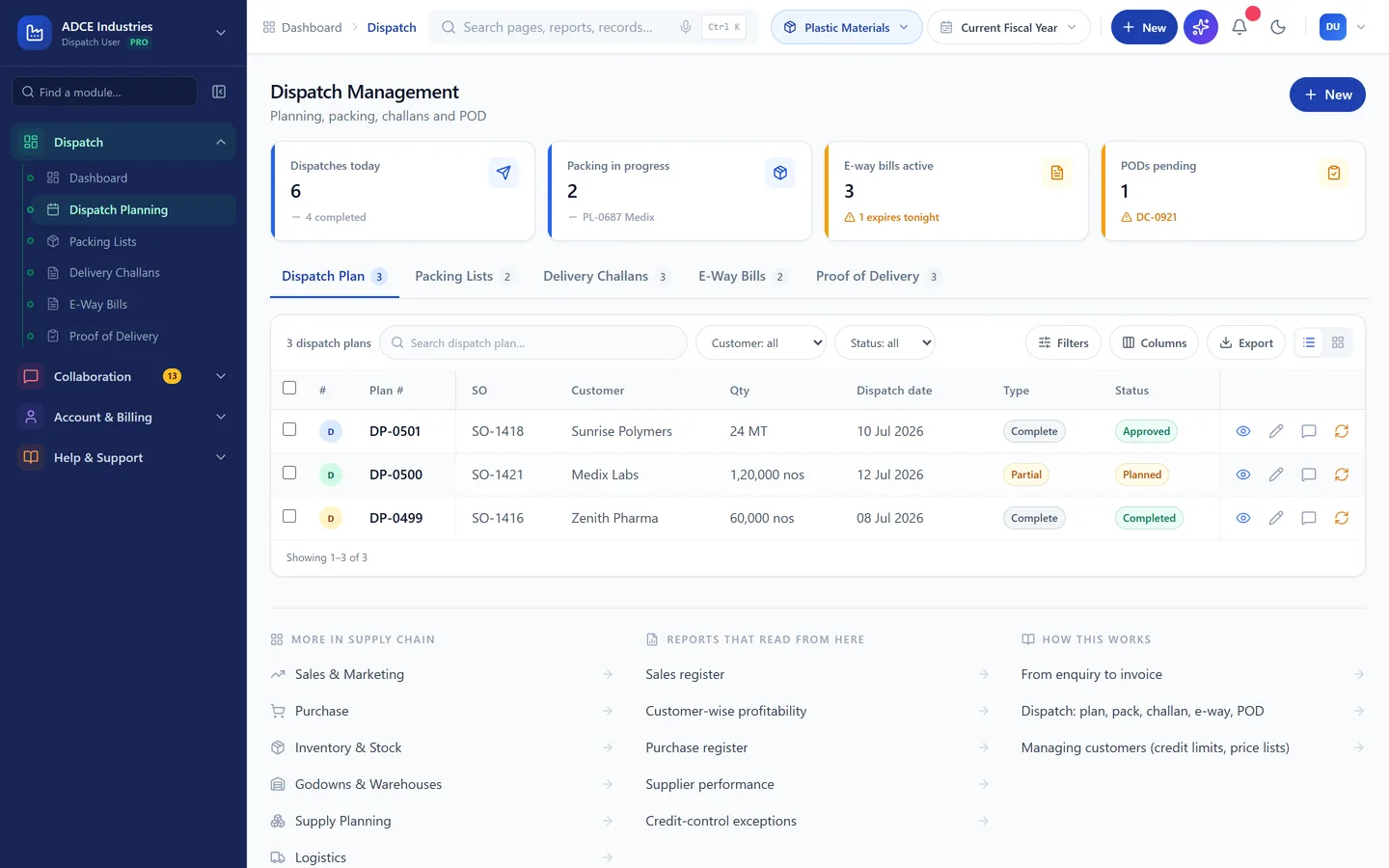
  1. Dispatch tabs walk the flow: Plan → Packing list → Delivery challan → E-way bill → Proof of delivery.

    Dispatch planning and documents
    Dispatch planning and documents
  2. E-way bills generate via the GSP connector; vehicle and LR details come from Logistics.

  3. Pending PODs surface on the dispatch dashboard and in the dispatch register report.

Managing customers (credit limits, price lists)

A dedicated customer master with transactions and documents per account.

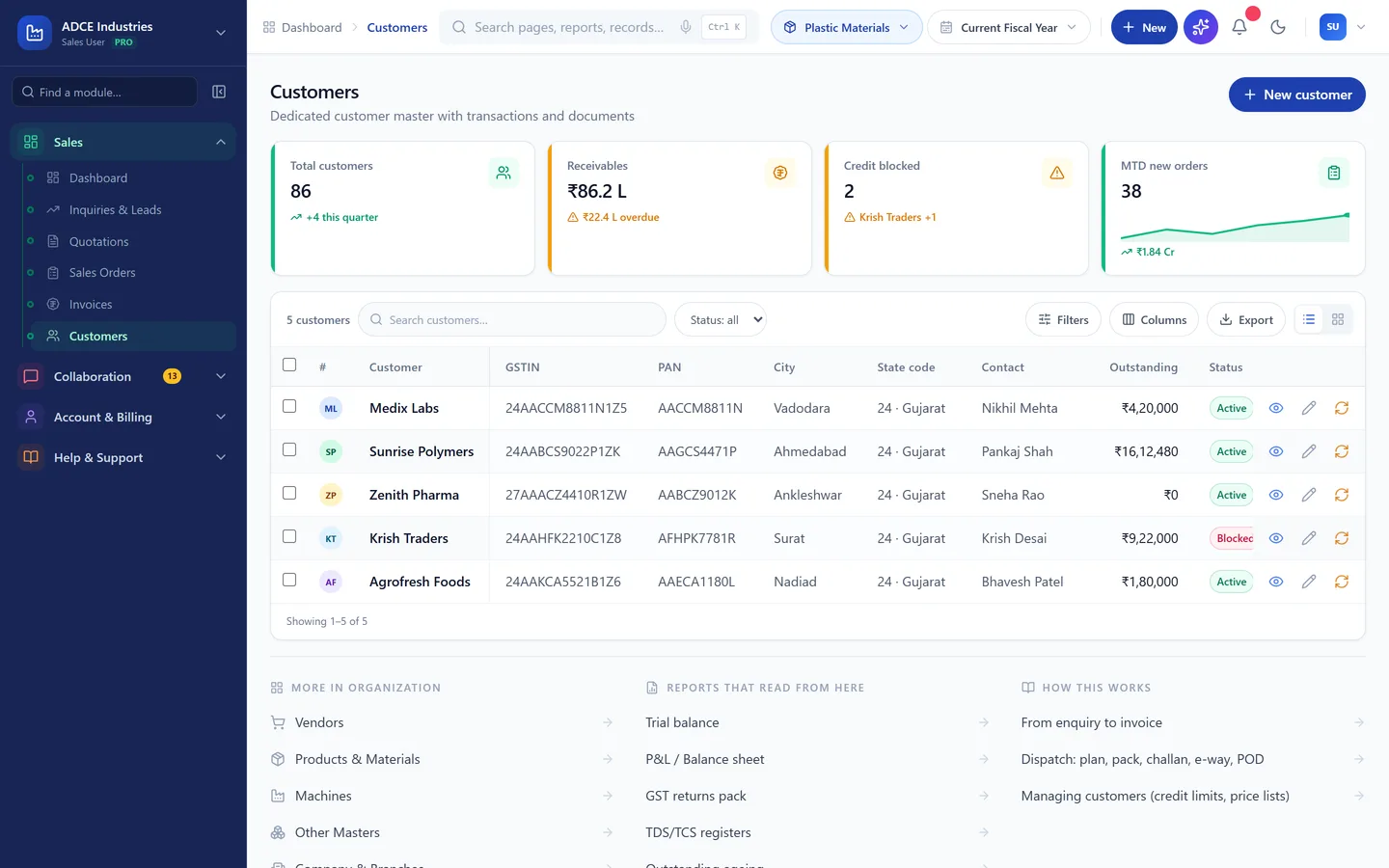
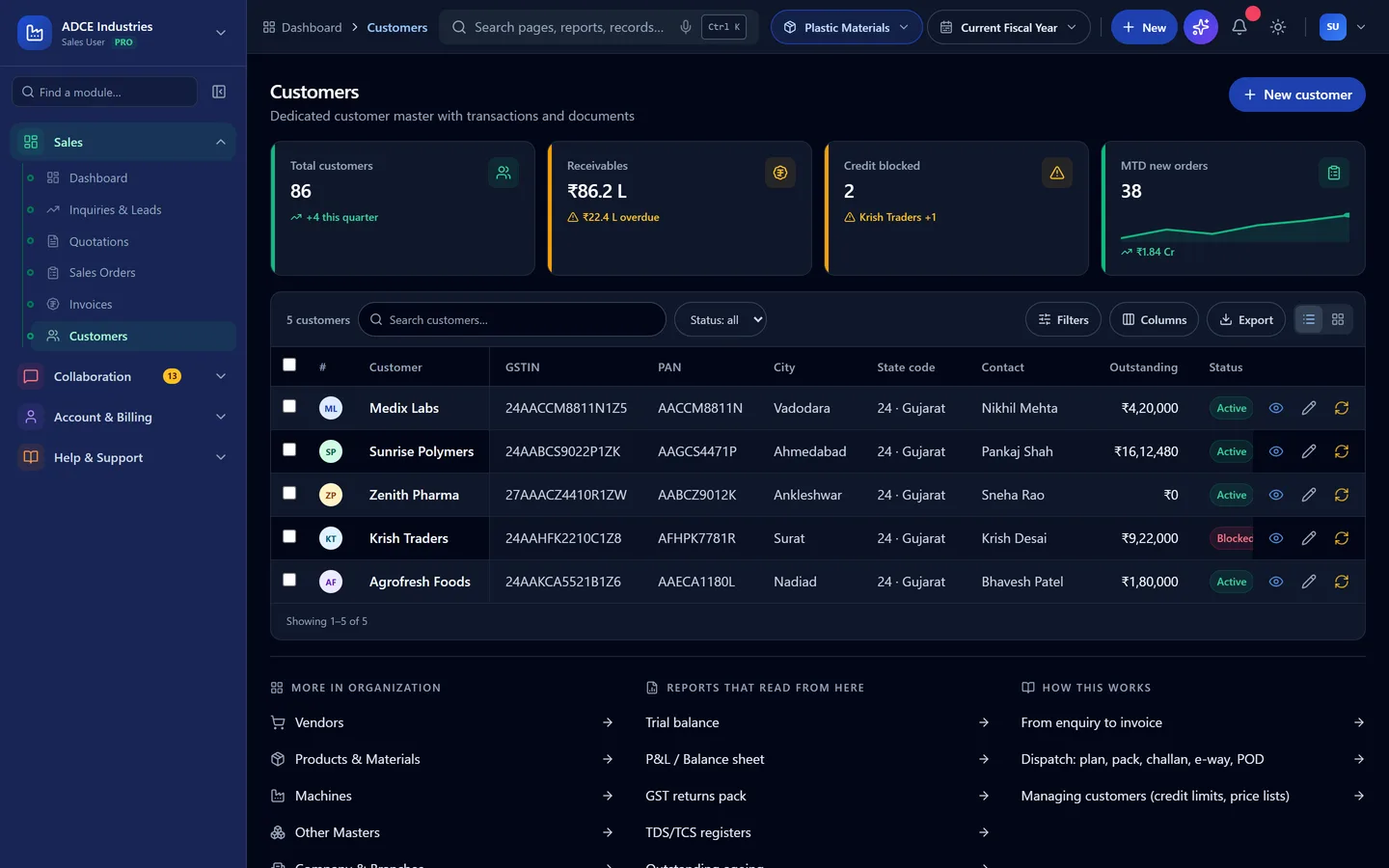
  1. Open Customers from the sidebar. The list shows GSTIN, credit limit, outstanding and status; click a row for the full account.

    Customer master with credit status
    Customer master with credit status
  2. The detail page has overview (contacts, terms, price list), transactions, complaints and documents tabs — plus Edit for master changes.

Still stuck?

Write to contact@anantatechhub.com or call us. You reach the people who build it, not a queue.